Provision the Cluster Nodes
The provision.yml playbook provisions the probable bare-metal cluster nodes. This playbook is dependent on inputs from the pxe mapping file:
/opt/omnia/input/project_default/provision_config.yml/opt/omnia/input/project_default/network_spec.yml
Note
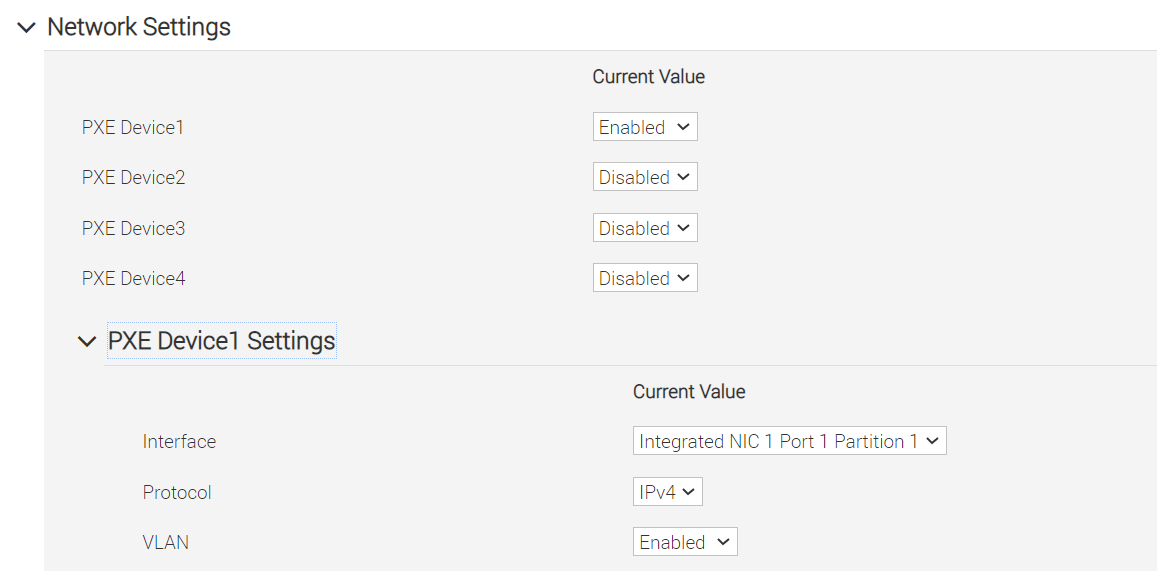
The first PXE device on target nodes should be the designated active NIC for PXE booting.
Configurations made by the provision.yml playbook
Provisions all target servers.
Configures the boot script based on the functional groups.
Configures the cloud-init based on the functional groups.
Deploys iDRAC telemetry service on the service cluster.
Deploys LDMS on the service cluster.
Playbook execution
Prerequisites
Before running the provision.yml playbook:
Ensure that the images are created for each functional group. To verify that the images are created, run the following command on the OIM:
s3cmd ls -Hr s3://boot-images
To deploy the Omnia provision tool, execute the following commands:
ssh omnia_core
cd /omnia/provision
ansible-playbook provision.yml
Note
After executing
provision.ymlplaybook, you can check the log files available at/opt/omnia/logfor more information.To identify any issues on the node booted, check the
/var/log/cloud-init-output.log.Omnia does not track the OS installation on the target node. User has verify the installation status manually.
Ansible playbooks by default run concurrently on 5 nodes. To change this, update the
forksvalue inansible.cfgpresent in the respective playbook directory.While the
admin_nicon cluster nodes is configured by Omnia to be static, the public NIC IP address should be configured by user.All ports required by OpenCHAMI will be opened (For a complete list, see Omnia Ports).
After running
provision.yml, the file/opt/omnia/input/project_default/omnia_config_credentials.ymlwill be encrypted. To edit the file, use the command:ansible-vault edit omnia_config_credentials.yml --vault-password-file .omnia_config_credentials_keyPost execution of
provision.yml, IPs/hostnames cannot be re-assigned by changing the mapping file.
Caution
In case of any IP route conflict between Admin network and additional NIC (for example: Internet NIC), delete the Admin route or configure the IP route priority based on your cluster requirements.
If the internet connection is required on the target node, configure it after the node is booted.
To avoid breaking the password-less SSH channel on the OIM, do not run
ssh-keygencommands post execution ofprovision.ymlto create a new key.Do not delete the Omnia shared path or the NFS directory.
Next steps:
After successfully running the
provision.ymlplaybook, you can either manually PXE boot the nodes or use theset_pxe_boot.ymlplaybook. PXE booting allows the nodes to load diskless images from the Omnia Infrastructure Manager (OIM). For detailed steps on usingset_pxe_boot.yml, see Configure PXE Boot.Execute
telemetry.ymlto start the telemetry collection.
If you have any feedback about Omnia documentation, please reach out at omnia.readme@dell.com.