Step 3: Provide Inputs to the Files in the project_default Directory
Omnia is now deployed using a project-based approach. Once the omnia_core container is deployed, all the input files needed for the cluster will be available in the /opt/omnia/input/project_default directory on the NFS share.
Before moving on to the next step, which is running the prepare_oim.yml playbook, you must provide inputs for all the files in this directory.
Here’s an example of the input files present in the project_default directory:
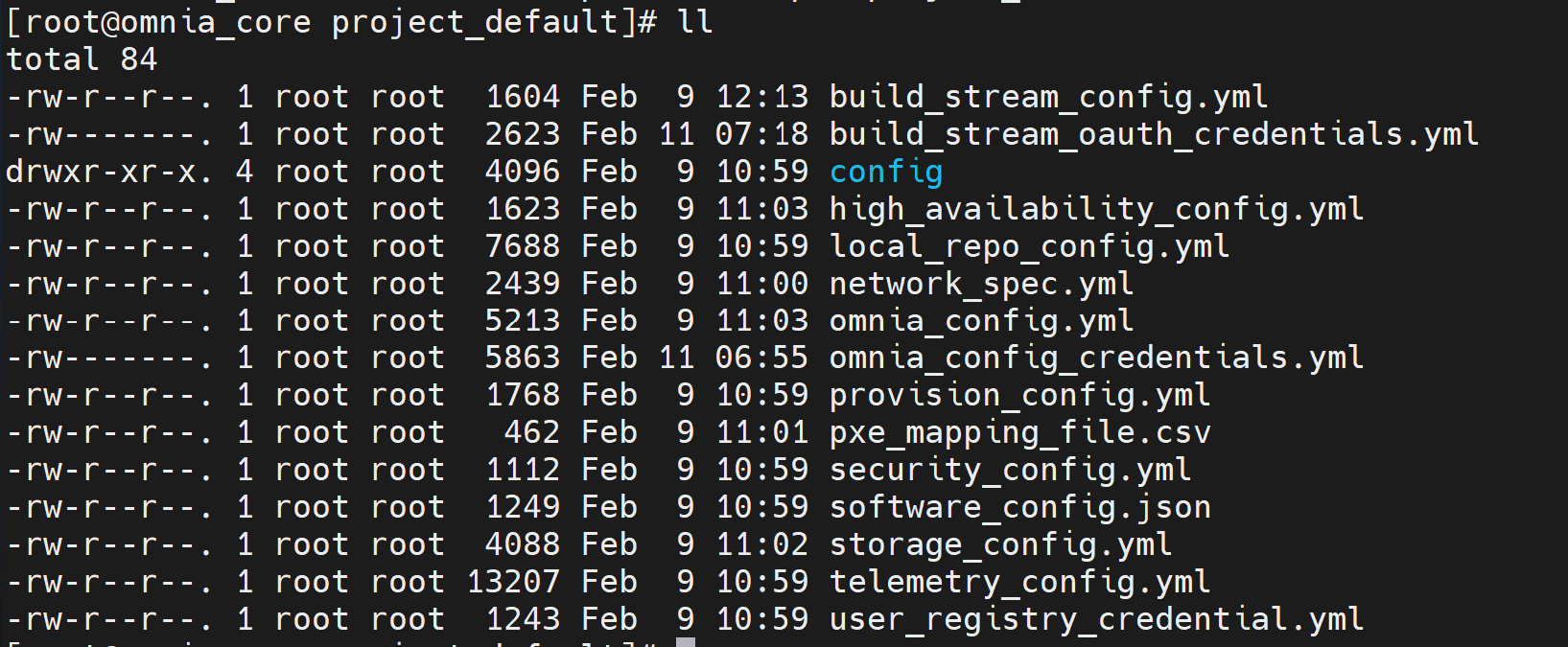
Input Templates for Deployment
You can use the provided input templates to simplify deployment. Choose the template that matches your cluster architecture and telemetry requirements:
x86_64 Slurm cluster with telemetry: Use the templates available at:
omnia/examples/input_template/bare_metal_slurm/x86_64/with_service_k8sx86_64 Slurm controller node with ARM-based Slurm nodes and telemetry: Use the templates available at:
omnia/examples/input_template/bare_metal_slurm/aarch64/with_service_k8sx86_64 Slurm cluster without telemetry: Use the templates available at:
omnia/examples/input_template/bare_metal_slurm/x86_64/without_service_k8sx86_64 Slurm controller node with ARM-based Slurm nodes without telemetry: Use the templates available at:
omnia/examples/input_template/bare_metal_slurm/aarch64/without_service_k8s
Default Values Assumed in these Templates (change if needed):
Virtual address for Kubernetes cluster:
172.16.0.1OIM PXE NIC IP address:
172.16.0.254Mapping file path (provided in the same folder):
pxe_mapping_file.csvExternal NFS share for all Omnia workflows: IP address:
172.16.0.253, Path:/mnt/share/omniaNFS share for HA on service Kubernetes cluster: IP addresses:
172.16.0.252, Path:/mnt/share/omnia_k8s
Additional values you must provide:
- Local repository configuration:
rhel_os_url_x86_64– BaseOS, AppStream, and CRB repository details for x86_64 node provisioningrhel_os_url_aarch64– BaseOS, AppStream, and CRB repository details for aarch64 node provisioning
Note
If the RHEL subscription on the OIM is not enabled, the rhel_os_url_x86_64 and rhel_os_url_aarch64 parameters are mandatory.
- Telemetry configuration (if enabled):
csi_powerscale_driver_secret_file_path– Powerscale driver secret filecsi_powerscale_driver_values_file_path– Powerscale driver values file
If you have any feedback about Omnia documentation, please reach out at omnia.readme@dell.com.